
Sometimes, you might want to get rid of lower-level troops in Kingshot, maybe to free up space in the Infirmary for higher-level troops. You can easily dismiss troops from your army by following these simple steps:
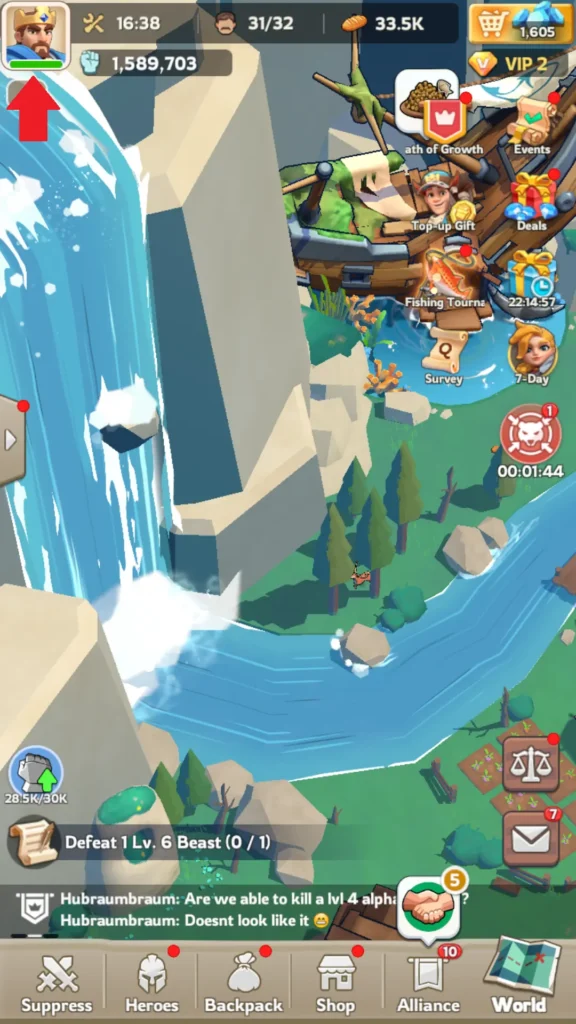
- Tap your profile icon in the top-left corner of the screen.
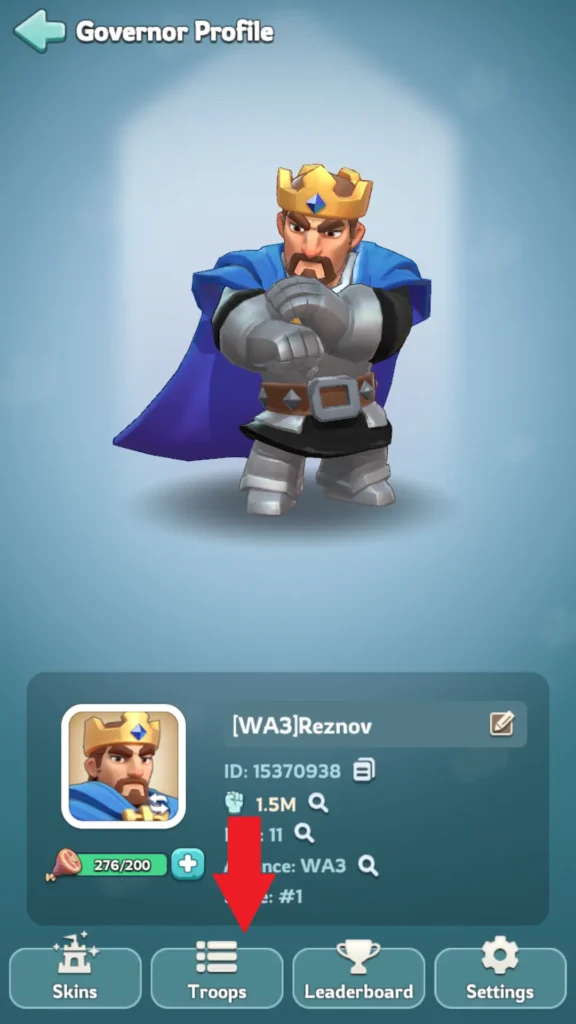
- On the next tab, you’ll see four buttons at the bottom. Tap the second button from the left, labeled “Troops”.
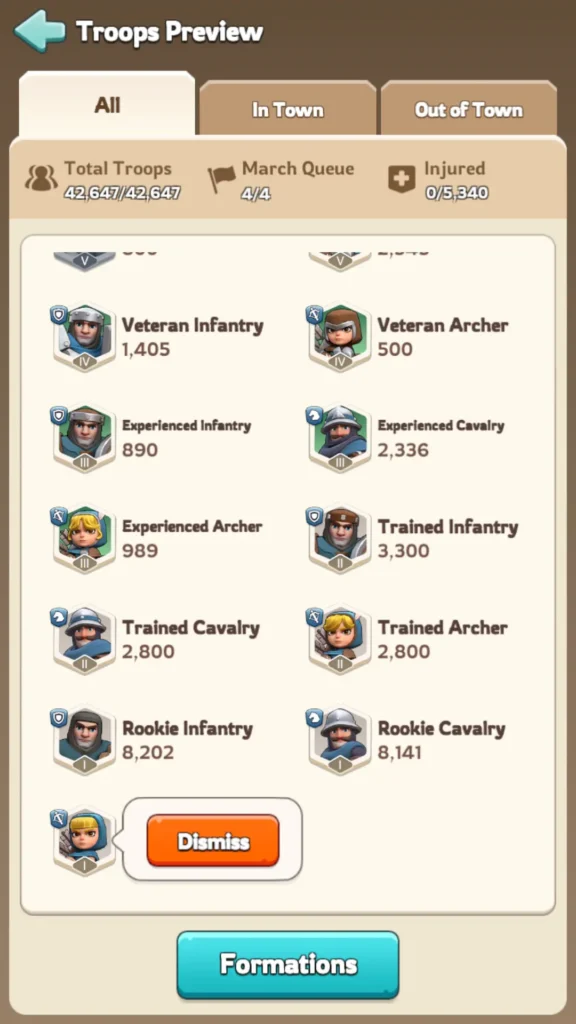
- You’ll now see a list of your troops. Tap on the troop icon you want to remove. This will bring up the “Dismiss” button—tap it.
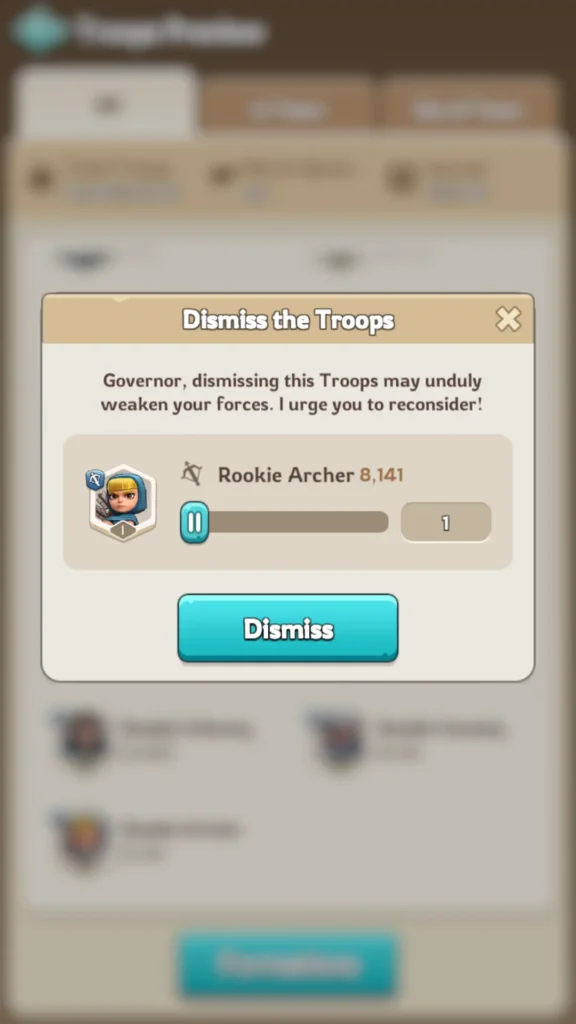
- A new tab will open where you can choose how many troops of that specific tier you want to remove.
Below is a visual representation of how to follow these steps:
How can I retrieve my dismissed troops?
You cannot recover dismissed troops.
is recomendable doing this?
It’s better to promote lower-level troops instead of dismissing them — dismissing is basically wasting resources. The only time it makes sense to dismiss them is if you already have enough higher-level troops for your marches and don’t want the lower-level ones taking up space in the Infirmary after an attack.